Personal Data Infrastructure · Financial Information Design
Portfolio Performance
A read-only place to review portfolio performance, cash flows, holdings, and risk without opening a trading session.
The reporting question
What if the brokerage screen does not answer the investor's return question?
A balance and a position's unrealized gain do not tell the whole return story. When a brokerage screen does not make time-weighted return or money-weighted return (IRR) easy to find, the investor needs dated account values and external cash flows to calculate them. The two measures answer different questions: investment performance apart from cash-flow timing, and the investor's return on money actually committed.
IBKR is the concrete example here. Its own analysis tools already provide performance measures, and its Flex service supplies structured statements. Portfolio Performance reads those records into a separate, read-only view organized for one investor. Adviser or family-office views would require different reporting and access rules; they are not features of the current single-user system.
Two paths: importing reports and reading them
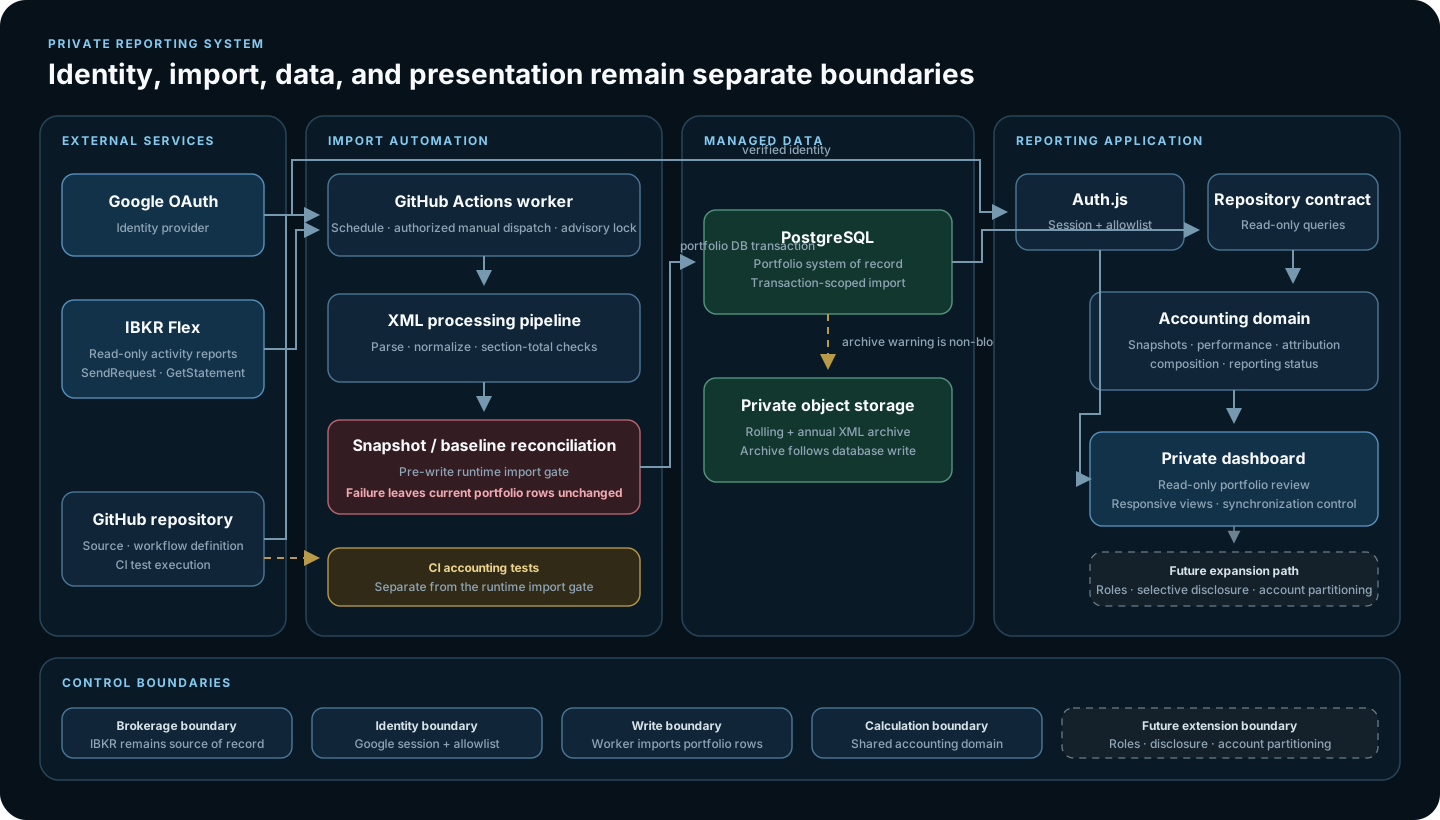
Google authentication gates the private dashboard. The browser reads portfolio records from PostgreSQL through a repository; it has no IBKR connection or order endpoint. A separate GitHub Actions worker is the only component that requests Flex statements.
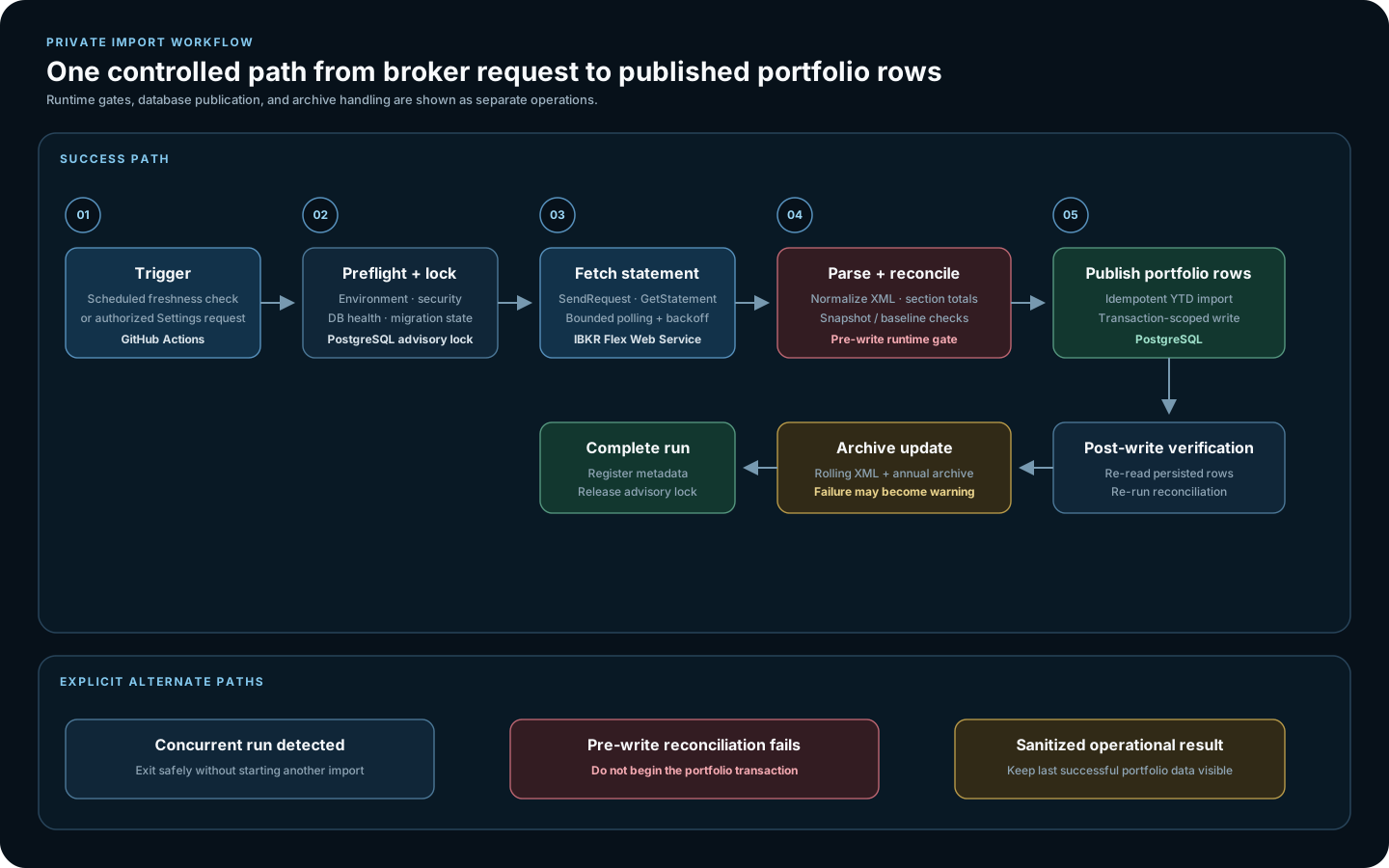
A schedule or an authorized Settings request starts the worker. It checks database health, takes a PostgreSQL advisory lock, and polls Flex with bounded backoff. The returned XML is normalized and reconciled before an idempotent transaction updates portfolio records. If validation fails, the previous successful import remains available.
The current installation serves one authorized user. Supporting separate audiences would require access rules for each view; multiple accounts would also need data partitioning.
What each view helps you check
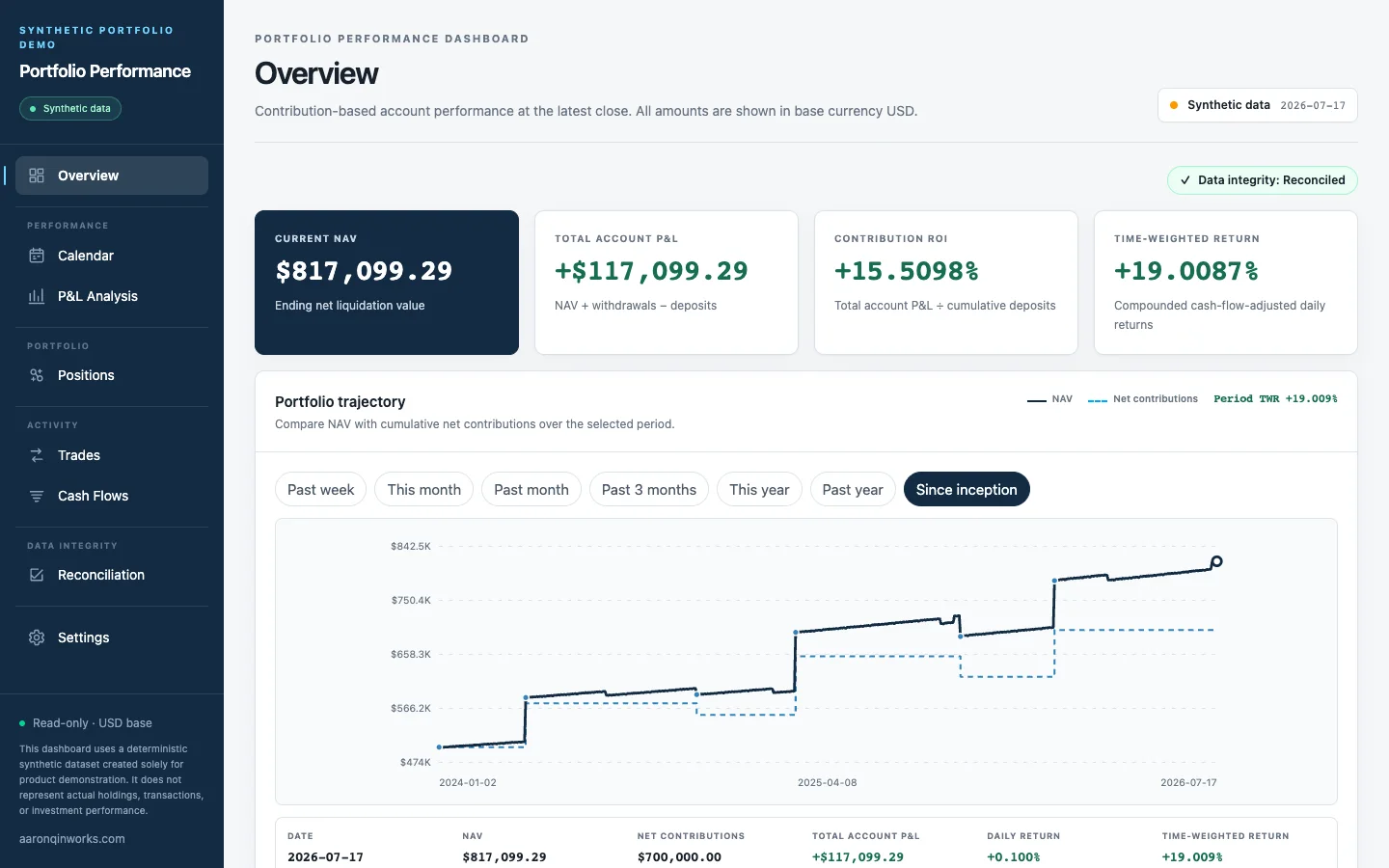
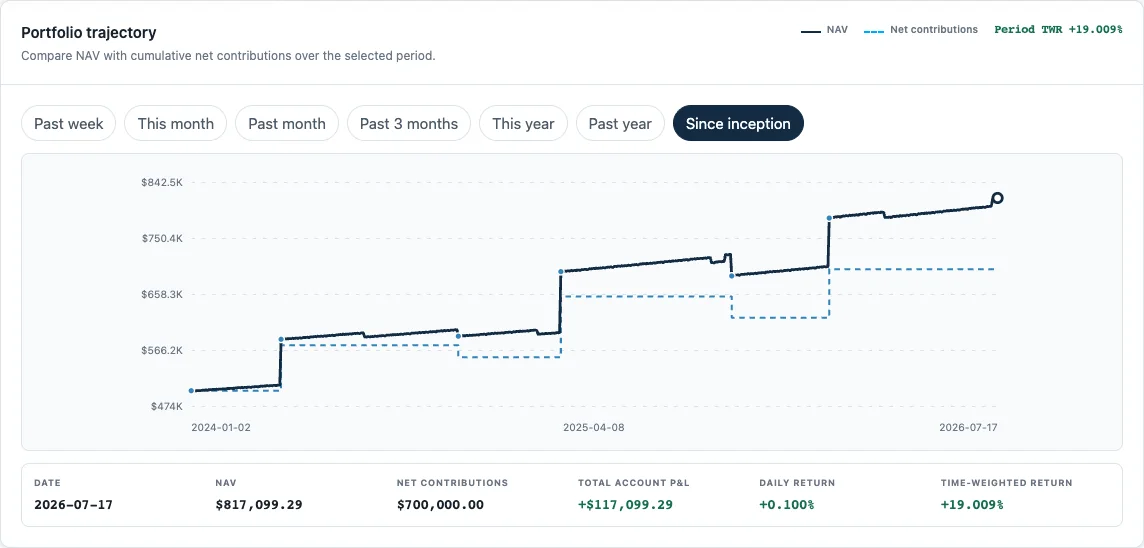
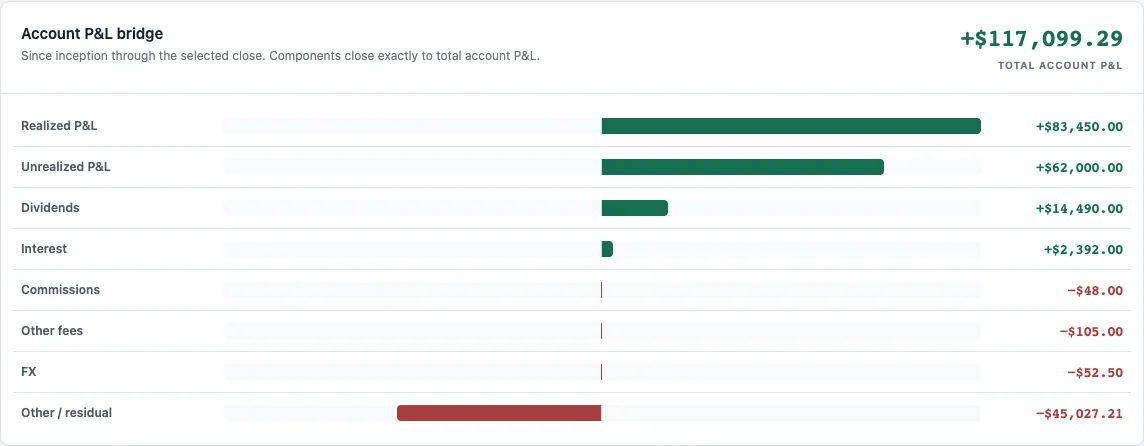
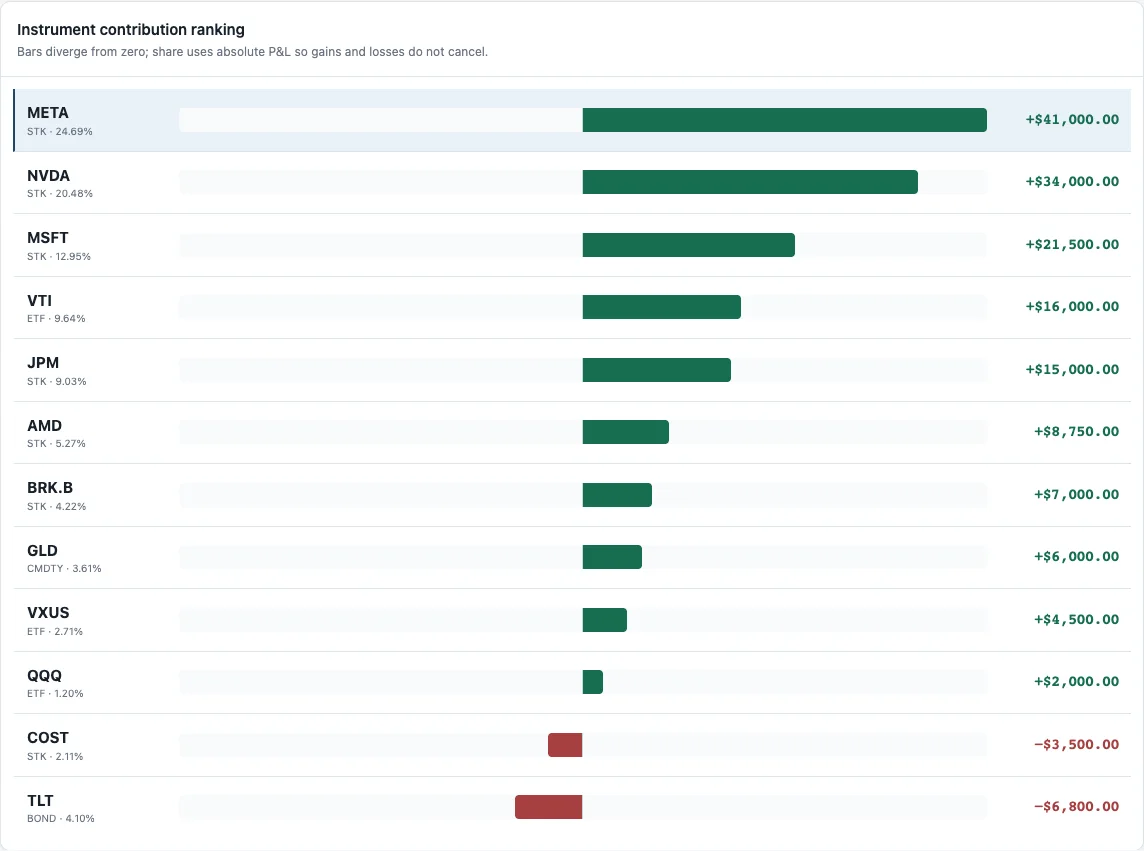
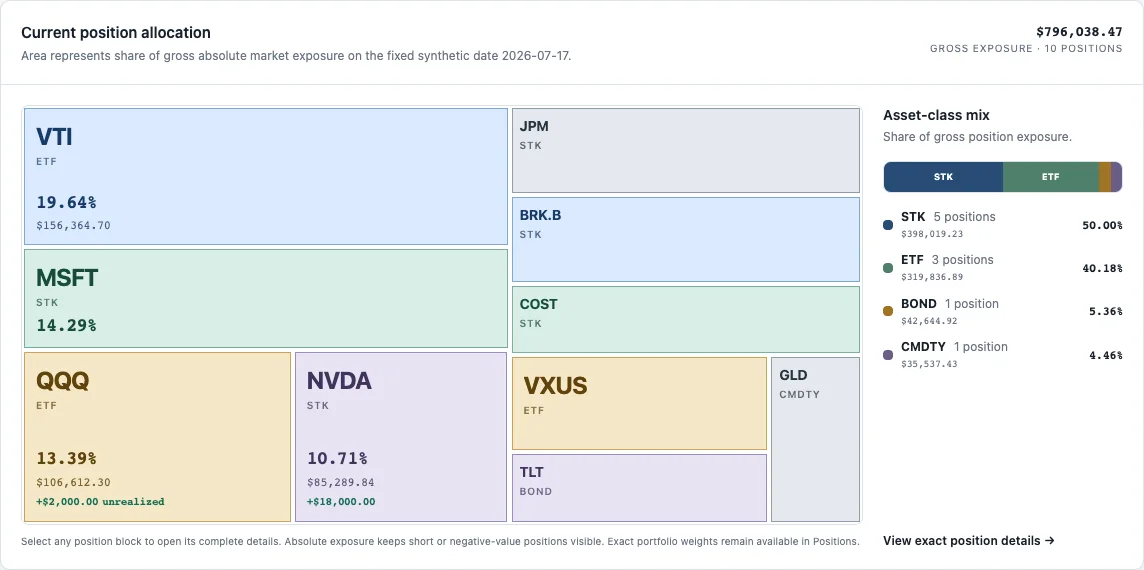
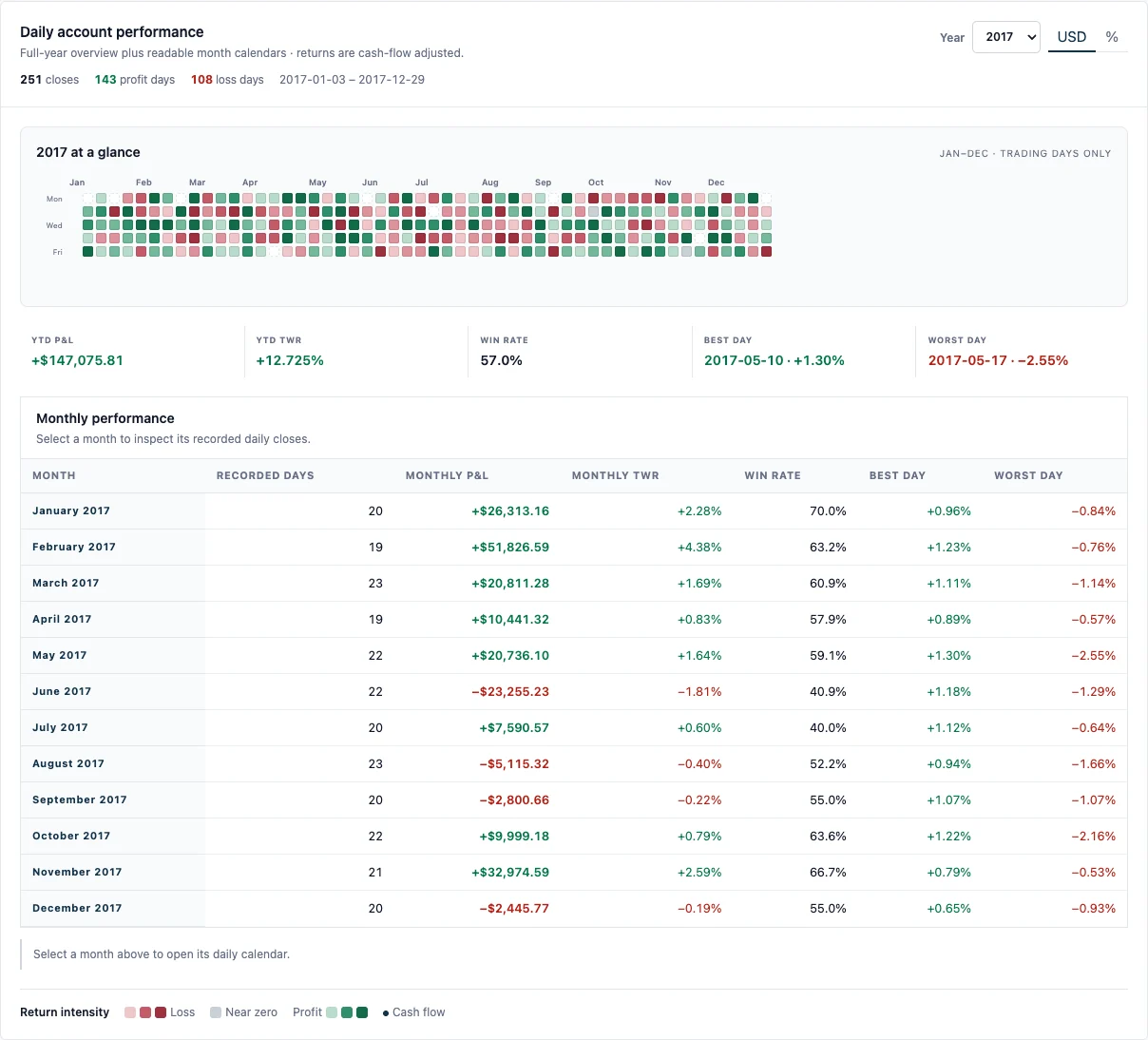
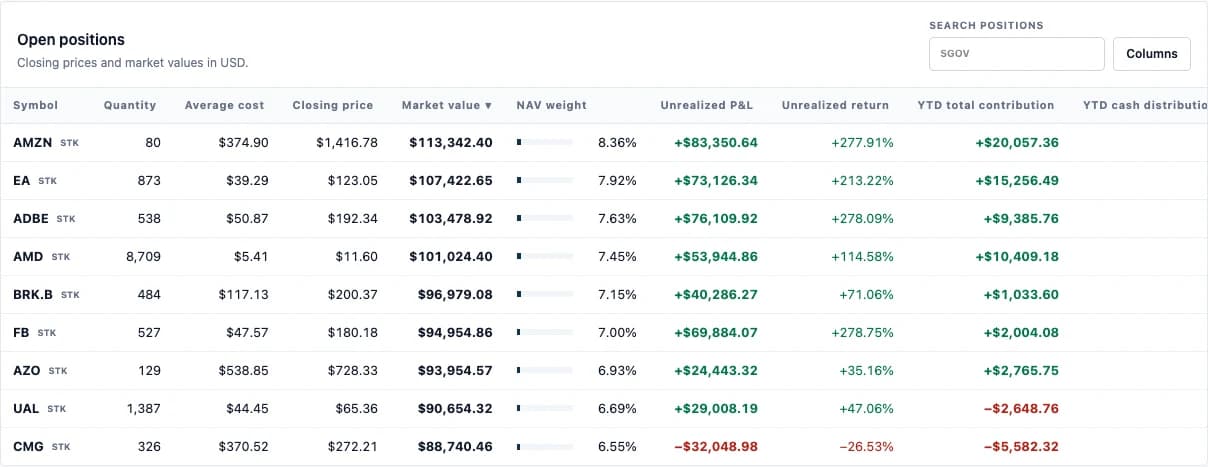
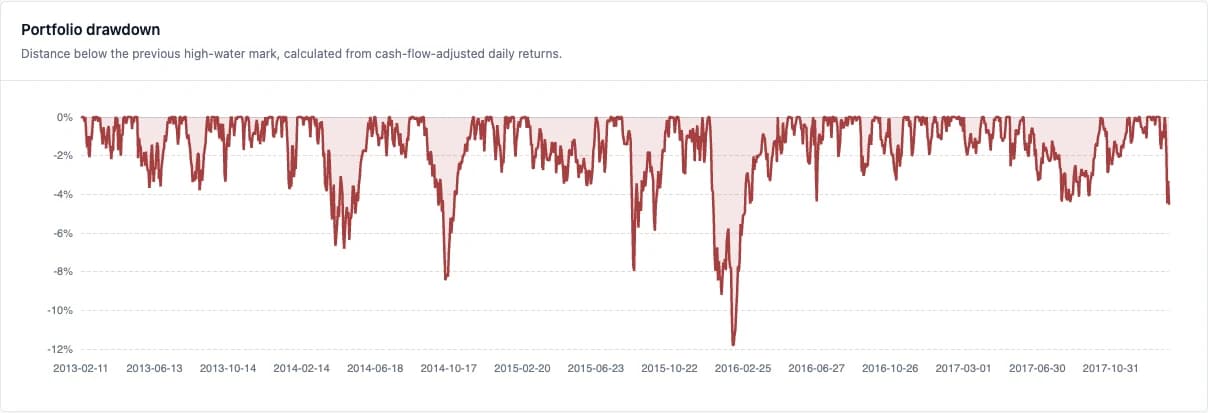
The overview pairs ending NAV with cash-flow-adjusted return. P&L analysis separates account components from each security's period contribution. The treemap shows where capital is exposed; the risk page reveals drawdowns that an ending balance cannot show. Each view answers a different question about the same recorded dates.
The public screens below use nine retrospectively selected stocks from the Kaggle S&P 500 daily-close dataset, 8 February 2013–7 February 2018. Funding, cash flows, quarterly rebalancing and trading fees are hypothetical rules, not a forward-tested strategy. The price-only scenario excludes dividends, interest and a benchmark, and does not show a real account. Kaggle S&P 500 ↗
From Flex XML to dated portfolio records
Flex XML arrives as report sections. The parser maps those sections into account snapshots, cash flows, trades, and positions, preserving dates and currency amounts. Import checks compare selected totals and snapshot relationships before the database is updated.
The accounting domain then calculates NAV-based daily P&L, returns, and contribution from those records. The interface places the result beside its date and definition, so a reader can move from an account figure to the series or position behind it.
Conclusion
A visible number needs a traceable route back to its source.
The private path has a concrete limit: only the worker can request Flex data, and a failed import cannot replace the last successful portfolio. The dashboard reads saved records and never acquires brokerage access.
The public demo draws an equally explicit line between historical closes and hypothetical trades. Its numbers demonstrate the interface and its calculations, not a real account's outcome. That distinction is part of the product design, not a footnote added after the charts.
Live product
Portfolio Performance
A read-only place to review portfolio performance, cash flows, holdings, and risk without opening a trading session.